


समाचार :


नगरपालिकाको ठेगाना
जनप्रतिनिधि
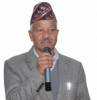
रामशरण भण्डारी
नगर प्रमुख
ramsaranbhandari2070@gmail.com
९८५१२१६९६५

गिता बन्जारा
उप– प्रमुख
geetabanjara2074@gmail.com
९८५१२४३१३९
पदाधिकारी



 QR Code - Bid Documents
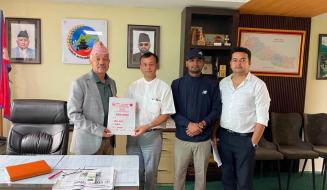 आ.व. २०८३/०८४ को लागि पनौती नगरपालिका र रेयुकाई एइको मासुनागा आँखा अस्पताल बनेपा बिच सम्झौता सम्पन्न
 पनौती नगरपालिकाको नगर सभाको १९ औं अधिवेशनको पहिलो बैठक २०८३-०३-०५ गते सम्पन्न
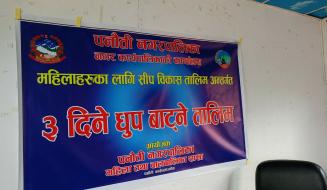 महिलाहरुका लागि शिप विकास अन्तर्गत ३ दिने धूप बाट्ने तालिम सम्पन्न
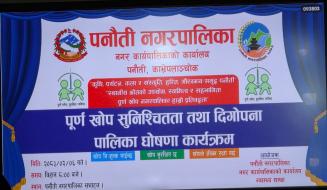 पूर्ण खोप सुनिश्चितता तथा दिगोपना पालिका घोषणा कार्यक्रम २०८३/०२/०६
 लैङ्गिक समानता तथा सामाजिक समावेशीकरण परिक्षण समीक्षा तथा निवृत्त कर्मचारी बिदाई कार्यक्रम २०८३/०१/२२
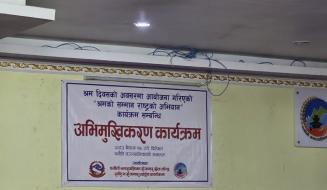 अन्तर्राष्ट्रिय श्रमिक दिवसको अवसरमा पनौती नगरपालिकाद्वारा मिति २०८३/०१/१७ गते आयोजित कार्यक्रम
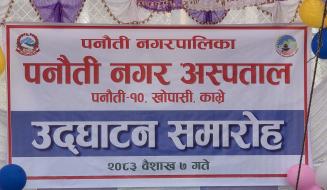 पनौती नगर अस्पताल उद्घाटन समारोह २०८३ वैशाख ७ गते सम्पन्न
 आर्थिक वर्ष २०८२/८३ को अर्धवार्षिक समिक्षा २०८२/१२/२० गते सम्पन्न
हाम्रो सेवाहरु
 सेवा प्रकारः- घटना दर्ता
 सेवा समयः- क्रिया पुरा गरी सूचकले सूचना दिएकै दिन
 जिम्मेवार अधिकारीः- स्थानीय पञ्जिकाधिकारी, पञ्जिकरण एकाई
  सेवा दिने कार्यालयः- सम्बन्धित वडा कार्यालय
  सेवा शुल्कः- निवेदन दस्तुर रू १०, ३५ दिनभित्र निःशुल्क, सोभन्दा माथि रु १०० ।
 आवश्यक कागजातहरुः-
 १) मृतकको नागरिकता
२) सूचना दिने व्यक्तिको नागरिकता
३) सूचना दिने व्यक्ति एकाघरको उमेर पुगेको मूख्य व्यक्ति हुनु पर्ने
सेवा प्रकारः- घटना दर्ता
सेवा समयः- प्रक्रिया पुरा गरी सूचकले सूचना दिएकै दिन । सर्जमिनको हकमा बढीमा ३ दिन भित्र ।
जिम्मेवार अधिकारीः- स्थानीय पञ्जिकाधिकारी, पञ्जिकरण एकाई । सेवा दिने कार्यालयः- सम्बन्धित वडा कार्यालय । सेवा शुल्कः- रू १५ निवेदन दस्तुर, ३५ दिन भित्र दर्ता गर्दा नि:शुल्क, १०० दिन भित्र रू १००, सो भन्दा माथि रू १२५
आवश्यक कागजातहरुः- १) निवेदन पत्र
२) दुलाहा र दुलहीको नागरिकता
३) दुलहीले नागरिकता नलिएको खण्डमा पतिको नागरिकता,
४) माईती तर्फ वावु-आमाको नागरिकता
सेवा प्रकारः- घटना दर्ता
सेवा समयः- प्रक्रिया पुरा गरी सूचकले सूचना दिएकै दिन ।
जिम्मेवार अधिकारीः- स्थानीय पञ्जिकाधिकारी, पञ्जिकरण एकाई । सेवा दिने कार्यालयः- सम्बन्धित वडा कार्यालय । सेवा शुल्कः- निवेदन दस्तुर रू १०/-, ३५ दिनभित्र निःशुल्क, सोभन्दा माथि रु १००/-
आवश्यक कागजातहरुः- १) सम्वन्धित वच्चाको आमा/वावुको नागरिकता
२) आवश्यकतानुसार सूचना दिने व्यक्तिको नागरिकता
३) सूचना दिने व्यक्ति एकाघरको उमेर पुगेको मूख्य व्यक्ति हुनु पर्ने
सेवा प्रकारः- समुह दर्ता
सेवा समयः- प्रक्रिया पुगेमा सोहि दिन
जिम्मेवार अधिकारीः- कृषि अधिकृत सेवा दिने कार्यालयः- पनौती नगर कार्यपालिकाको कार्यलय सेवा शुल्कः- रु.१०० को नगदी रसिद
आवश्यक कागजातहरुः- - समूहको बैठकको निर्णयको प्रतिलिपि ( ३ वटा )
- समूहको बिधान २ प्रति (आवश्यक परेमा समूहको बिधानको नमुना पनौती नगर कार्यपालिकाको कार्यालय कृषि शाखामा उपलब्ध छ)
- रु १०० को नगदी रसिद
- समूहको कार्यसमिति सदस्यहरुको नागरिकता प्रमाणपत्रको प्रतिलिपी
- सम्बन्धित वडा कार्यालयको सिफारिस
सेवा प्रकारः- पशुपंक्षी पालन अनुदान
सेवा समयः- सूचना प्रकाशित भएर प्रक्रिया पुरा भएपछी ३५ दिन भित्र
जिम्मेवार अधिकारीः- पशु चिकित्सक सेवा दिने कार्यालयः- पनौती नगराकार्यपालिकाको कार्यलय सेवा शुल्कः- निवेदन दस्तुर बाफत रु.१०
आवश्यक कागजातहरुः- सूचना प्रकाशित हुँदा उल्लेख भए बमोजिमका कागजपत्र सहित निवेदन दिने
सेवा प्रकारः- पशु खोप सेवा
सेवा समयः- सूचना प्राप्त भएको २४ घण्टा भित्र
जिम्मेवार अधिकारीः- पशु चिकित्सक सेवा दिने कार्यालयः- पनौती नगराकार्यपालिकको कार्यलय सेवा शुल्कः- निशुल्क
आवश्यक कागजातहरुः- कागजातहरु आवश्यक नपर्ने
सेवा प्रकारः- पशुपंक्षी उपचार
सेवा समयः- गुनासो गरेको बढीमा १ घण्टा भित्र(दुरी अनुसार)
जिम्मेवार अधिकारीः- पशु चिकित्सक सेवा दिने कार्यालयः- पनौती नगराकार्यपालिकाको कार्यलय सेवा शुल्कः- निशुल्क
आवश्यक कागजातहरुः- कागजपत्र आवश्यक नपर्ने
सेवा प्रकारः- कडा रोगीलाई आर्थिक सहायता
सेवा समयः- प्रक्रिया पुगेमा सोहि दिन
जिम्मेवार अधिकारीः- स्वास्थ्य शाखा,पनौती सेवा दिने कार्यालयः- पनौती नगरकार्यपालिकाको कार्यलय सेवा शुल्कः- निशुल्क
आवश्यक कागजातहरुः- - नागरिकताको प्रमाणपत्रको प्रतिलिपि
- रोग निदान भएको अस्पतालको चिठ्ठी तथा कागजपत्र
- सम्बन्धित वडाको सिफारिस
बिरामी उपस्थित हुन नसकेमा कागजात लिई आउनेको परिचय खुल्ने प्रमाणपत्रको प्रतिलिपि